
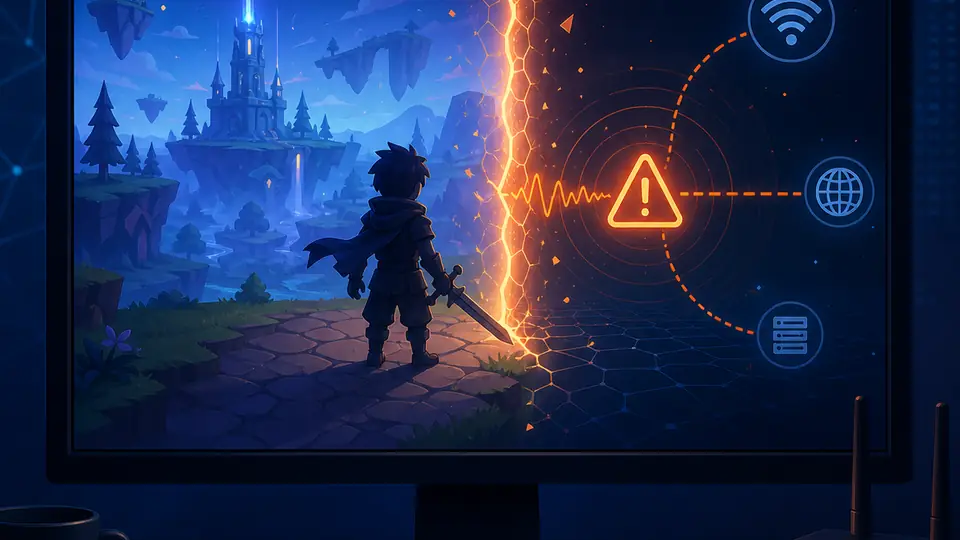
What Roblox error code 267 means
Roblox's official error-code guidance associates code 267 with the experience preventing the player from continuing. The exact wording can vary by experience, including a message that you were kicked by the experience or that a rule, age setting or moderation decision blocked the session. Treat the code as a symptom of access being refused at the experience boundary, not as a complete diagnosis of your computer.
That distinction matters because an experience creator can apply its own rules and server-side checks. A single experience may reject your current account, session or character state while another experience works normally. The same number can also appear during a temporary experience-side problem, a broken place update or a loading path that fails before the experience explains the reason clearly.
Code 267 does not, by itself, prove that Froststrap is unsafe, that Roblox has banned your entire account, or that your IP address has been permanently blocked. It also does not create a legitimate reason to bypass an experience's rules. The safe goal is to identify the scope, remove variables, and use the official support path when the restriction is not explained.
If the message mentions a specific rule, read it carefully and keep a screenshot that excludes your username, cookies, private messages and account identifiers. If it only says that you were kicked, record the experience name, approximate time, whether other experiences load, and whether the same result occurs in the standard Roblox launcher. Those details are more useful than repeatedly changing settings.
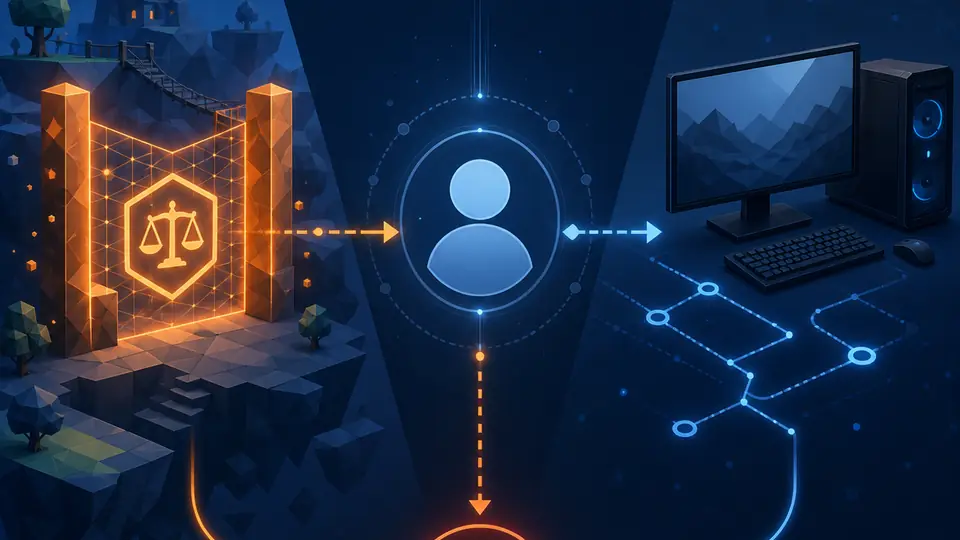
First determine whether one experience or every experience is affected
Before you reinstall Roblox, delete settings or change network security, run a controlled comparison. Keep the same account and computer, try a second experience that normally works, and note whether the failure is tied to one place. If one experience works and one does not, a global Froststrap or Windows repair is unlikely to be the first useful action.
A broader failure deserves a different path. If several unrelated experiences return the same message, compare the standard Roblox launcher with a clean Froststrap launch, sign out and back in through the normal Roblox flow, and check the official status and support pages. Do not paste cookies, tokens or private logs into a fixer or forum post while investigating.
| What you observe | Most likely scope | Best next action |
|---|---|---|
| Only one experience returns 267 | Experience rule, place update or local experience decision | Read that experience's message and contact its creator if the reason is unclear |
| Several experiences fail, but the standard launcher works | Froststrap profile, optional mod or session state | Reset optional settings and test Froststrap with defaults |
| Several experiences fail in both launchers | Account session, Roblox service or wider local condition | Check Roblox Status, sign in again and use official support |
| The code appears while loading data | Experience loading path or server-side response | Retry once, test another experience and record the exact message |
| The error disappears after waiting | Temporary experience or session restriction | Avoid repeated joins and follow the experience's published rules |
| A third-party fixer promises an instant unban | Unverified advice, not evidence of a Roblox fix | Do not install it or provide account credentials |
Seven safe fixes for Roblox error code 267
There is no universal local command that can remove an experience-level restriction. Work from the least destructive check to the most informative comparison. Test the same experience after each step, and stop when the evidence points to the experience or account rather than your launcher.
The checklist below is designed to answer a question, not to make you apply every possible Roblox repair. A reinstall can replace local files, but it cannot change an experience creator's decision. A DNS reset can change a network path, but it cannot explain a rule message. Make one reversible change at a time.

1. Read the full message and record the scope
Write down the experience name, the complete message, the time and whether the error appears during loading or after you join. Do not include your password, session cookie, private chat, email address or account token in a screenshot. A rule-specific message should be handled as an experience decision first.
2. Try a second, known-working experience
Open another experience that you have used recently. If the second experience works, the issue is probably not a broken Froststrap installation or a universal Roblox ban. Keep the first experience's name and message for its creator or moderation contact instead of changing your entire PC.
3. Wait briefly and retry once
A place update, server restart or temporary moderation service issue can make an otherwise valid session fail. Close the experience, wait a short period and retry once. Avoid rapid repeated joins, because they add noise and may trigger more temporary session checks without explaining the original cause.
4. Compare the standard Roblox launcher
Use Roblox's normal website launch flow with the same account, computer and experience. If the standard launcher also shows 267, Froststrap is not the only suspect. If standard Roblox works but Froststrap fails in multiple experiences, continue with a clean Froststrap comparison rather than assuming the newest setting is safe.
5. Test Froststrap with defaults
Close Roblox and Froststrap, disable imported mods, custom Fast Flags, experimental channels and other optional launch changes, then start a clean test. Restore one feature group at a time only after the baseline works. The current Froststrap source and releases are documented in the site's GitHub guide; do not use a repackaged mirror to test the result.
6. Refresh the normal session and official client
Sign out through the normal Roblox interface, restart the browser or Windows session, and check that Roblox is updated from an official source. Do not clear broad profile folders or delete Froststrap data you may need for a comparison. If the account fails everywhere, preserve the message and move to Roblox Support instead of repeatedly reinstalling.
7. Contact the right support channel
For one experience, contact the experience creator or follow its published appeal process. For repeated failures across experiences and launchers, use Roblox's official support process. State what you tested and when, but never send passwords, cookies, two-factor codes or full private logs. No third-party service can promise a legitimate unban.
Froststrap-specific checks without bypassing an experience ban
Froststrap changes how Roblox is launched and configured; it does not control an experience creator's moderation decision. If code 267 appears only in one experience, changing Fast Flags, installing a mod or switching release channels is unlikely to be an appropriate response. Start from the experience message and the standard-launcher comparison.
If the standard launcher works in the same experience but Froststrap fails in several places, use the site's Froststrap troubleshooting guide and return to defaults. Review the Roblox Fast Flags guide before importing any preset copied from a video or paste site. A setting that affects startup or client behavior is not the same as a legitimate way to bypass a server-side experience rule.
Only use releases and source information you can trace to the official Froststrap repository guide. The site's Froststrap safety guide explains source, release and hash checks, but even a verified installer cannot guarantee that an experience will admit a session. Keep the comparison reversible and remove optional changes if they do not clearly help.
Error 267 compared with 268, 279 and 403
Roblox error numbers are easy to mix up, especially when a troubleshooting video groups several codes together. Use the message and the scope of the failure, not the number alone. The links in this table point to the site's existing guides when a separate page already covers the stronger intent.
| Code | Typical boundary | How to separate it |
|---|---|---|
| 267 | An experience refuses or ends the player's session | Check whether the problem is limited to one experience and read its message |
| 268 | A client or session launch condition can stop Roblox from joining | Treat it as a separate client/session diagnosis; do not use a 267 fix as a guarantee |
| 279 | The client cannot complete a usable connection to an experience | Check status, network path and launcher comparison rather than assuming a ban |
| 403 | Authentication or access is refused at the web/client boundary | Use the authentication and session checks in the dedicated 403 guide |
| General troubleshooting | A wider Froststrap, Windows or launch configuration problem | Use the site's troubleshooting hub after the scope test |
What not to do when fixing error 267
Avoid any download, script or paid service that promises to remove an experience ban, spoof an account, bypass moderation or guarantee that error 267 will disappear. These offers are not an official Roblox support path and may ask for credentials or install unrelated software. A local executable cannot prove that an experience's server-side decision has changed.
Do not disable Windows Security, SmartScreen or the firewall globally because a tutorial says every warning is false. Do not import a large Fast Flag preset, delete all Roblox folders, reset the network and reinstall Froststrap at the same time. Those actions destroy useful evidence and can create a second problem while leaving the original experience restriction untouched.
Never share Roblox cookies, browser storage, passwords, recovery codes or two-factor codes. If you need help, redact screenshots and provide only the minimum reproducible details. The safest fix is often a clearer scope diagnosis and the correct official support channel, not a more aggressive local tweak.
- Do not buy an unban or error-fixer service
- Do not share cookies, passwords or two-factor codes
- Do not install a repackaged Roblox or Froststrap executable
- Do not disable all Windows security controls
- Do not apply many launcher and network changes at once
- Do not claim a fix worked without retesting the same experience
When to contact Roblox or the experience creator
Contact the experience creator when only one place returns 267, the message names a rule, or the experience provides an appeal or moderation channel. Include the experience name, approximate time, exact message and a short description of what you were doing. Leave out private account data. The creator may be the only party able to explain an experience-specific rule or restriction.
Contact Roblox Support when the same account fails across unrelated experiences and both the standard launcher and a clean Froststrap test show the condition. Mention whether Roblox Status was normal, whether another account or device changes the result, and which reversible checks you already completed. Do not ask a third-party fixer to act as an intermediary for your account.
If the problem is limited to Froststrap while standard Roblox works, first capture the version, Windows version, optional settings state and smallest reproducible sequence. Then use the public project issue process described in the GitHub guide. A useful report makes it easier to distinguish a launcher regression from an experience decision.
Summary: the safest way to handle Roblox error code 267
Roblox error code 267 is best treated as an experience access or session symptom until testing proves otherwise. First try another experience, read the full message and compare the standard launcher with a clean Froststrap setup. If only one experience fails, follow its official rules and appeal path. If many experiences fail, use Roblox Status and official support before changing local security or deleting files.
Froststrap may be part of the comparison when optional settings or a custom launch path change the result, but it cannot legitimately remove an experience-level ban. Keep every change reversible, use official sources and do not hand credentials to an error fixer. For adjacent network and authentication symptoms, continue with the site's error 279 guide, error 403 guide and broader troubleshooting hub.
Roblox error code 267 FAQ
What does Roblox error code 267 mean?
It usually means that an experience has ended or refused your session, often because of an experience rule, kick or access restriction. It is not, by itself, proof that Froststrap, your entire Roblox account or your IP address is permanently banned.
How do I fix Roblox error code 267?
Try another experience, read the full message, wait briefly and retry once, compare the standard Roblox launcher, then test Froststrap with optional mods and settings disabled. If only one experience fails, use its creator's support or appeal process; if many fail, contact Roblox Support.
Does error code 267 mean an IP ban?
Not necessarily. Code 267 is commonly tied to an experience-level decision or session refusal. A single code cannot prove an IP ban. Compare unrelated experiences and use official support instead of installing a bypass or unban tool.
Why does error 267 happen in only one Roblox experience?
Experiences can have different rules, moderation systems, updates and server-side checks. When other experiences work, the evidence points more strongly to that experience or its account decision than to a broken Windows or Froststrap installation.
Can Froststrap cause Roblox error code 267?
Froststrap can change the launch path and optional client configuration, so compare it with the standard launcher. If only Froststrap fails across several experiences, test defaults and remove optional settings. That comparison still cannot override an experience-level restriction.
How long does Roblox error code 267 last?
There is no universal duration. A temporary experience or session problem may clear after the service or place recovers, while a creator-applied restriction follows that experience's rules and appeal process. Repeated joins and random fixer downloads will not establish the duration.
Should I download a Roblox error code 267 fixer?
No. Avoid unknown executables, scripts and paid unban services. They cannot prove that an experience restriction was removed and may request cookies, passwords or other sensitive data. Use Roblox, the experience creator and the verified Froststrap source instead.
Official and technical references
- Roblox Support: Roblox Error CodesFirst-party error-code definitions, including the experience access context for code 267.
- Roblox StatusFirst-party service incidents and availability checks.
- Roblox SupportOfficial account and platform support route when the issue spans unrelated experiences.
- Froststrap official GitHub repositoryFirst-party source, releases and public issue tracker for launcher-specific comparisons.