
Quick verdict: Froststrap or Bloxstrap?
For most first-time bootstrapper users, Bloxstrap is the easier reference point because its public feature set is focused and its project has a longer, more established track record. Froststrap is the better fit for people who have already identified a specific Froststrap-only or Froststrap-expanded control they want, such as its multi-mod workflow, community mod access, richer appearance options, account manager, region tools or extended Rich Presence behavior.
Neither option is automatically the best for every Roblox player. Both remain third-party Windows bootstrappers, not products made or endorsed by Roblox Corporation. If the normal Roblox launcher already does everything you need, using no custom bootstrapper is also a valid choice. The safest decision is the smallest toolset that meets your needs, downloaded from the correct public repository and tested with default settings first.
| Decision point | Froststrap | Bloxstrap |
|---|---|---|
| Best fit | Users who want extensive customization and integrated utilities | Users who want a mature, focused bootstrapper baseline |
| Project relationship | Downstream project with code inherited from Fishstrap and Bloxstrap | Independent upstream project used as a foundation by related forks |
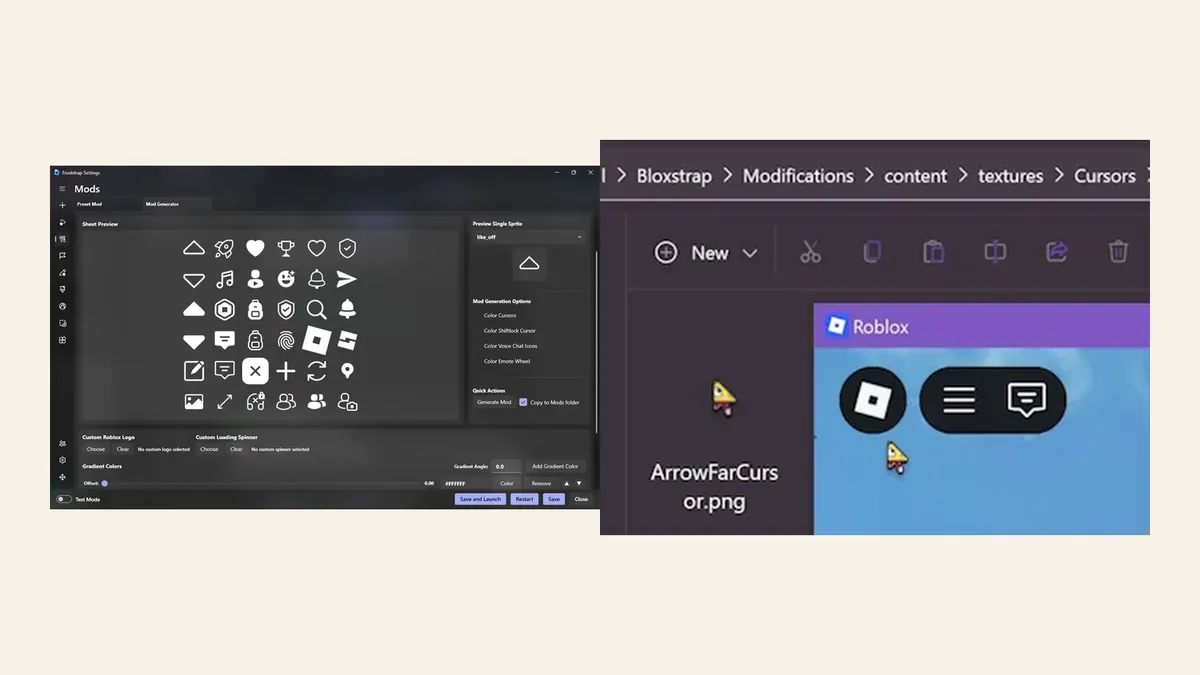
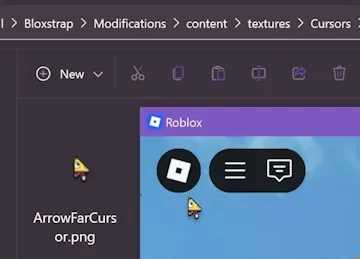
| Mods | Multi-mod downloads, community mods, generators and file-based replacements | Straightforward content-file mod support such as cursors and sounds |
| Fast Flags | Profiles, allowlist warnings, cleaning and settings built around permitted flags | Graphics fidelity and UI configuration within current Roblox limits |
| Discord features | Custom Froststrap RPC, playtime and Studio-oriented extensions | Core Discord Rich Presence for the current Roblox experience |
| Convenience tools | Region selection, shortcuts, account manager, update-channel controls | Server-location visibility and a simpler core settings set |
| Interface customization | Themes, fonts, image or gradient backgrounds, Aero/Acrylic/Mica options | Less emphasis on customizing the bootstrapper interface itself |
| Learning curve | Higher because more controls create more combinations to test | Lower for users who only need common bootstrapper features |
| Stable release snapshot | v2.0.5, published July 4, 2026 | v2.11.3, published April 4, 2026 |
| Best rule | Choose it for a specific feature you can name | Choose it for a simpler starting point |
Where Froststrap goes beyond Bloxstrap
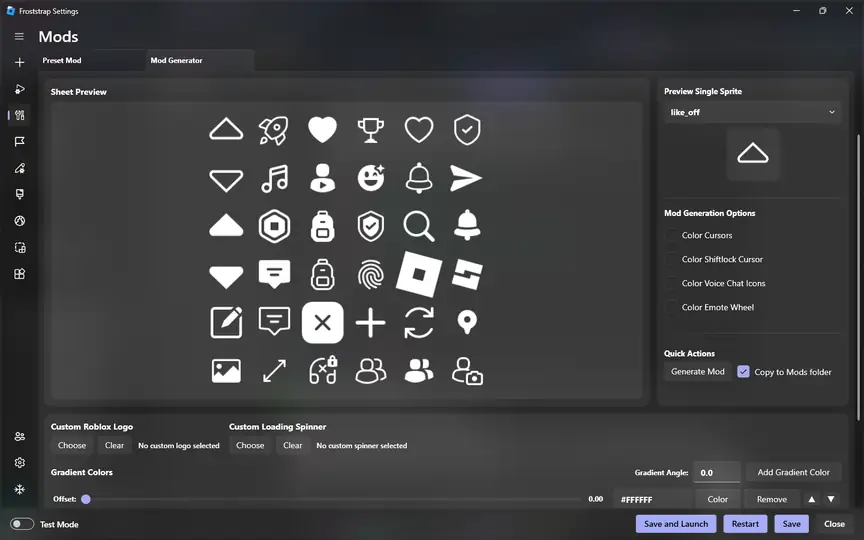
Froststrap's public README presents it as an expanded experience built on code and ideas inherited through Fishstrap and Bloxstrap. Its strongest difference is not one magic performance switch; it is the number of workflows collected into one application. The project lists a multi-mod system, direct community-mod downloads, a mod generator, custom cursor sets, font and sound replacement, interface themes, image or gradient backgrounds, process-priority controls, game shortcuts, region selection and an integrated account manager.
That breadth is useful when you would otherwise combine several tools or repeatedly edit folders by hand. It also creates more settings that can interact with a changing Roblox client. A user who chooses Froststrap should keep profiles simple, change one option at a time and know how to return to defaults. Read the Roblox Fast Flags guide before importing old performance presets, because Roblox's current client allowlist limits which local flags take effect.
Why Bloxstrap remains the simpler baseline
Bloxstrap's official site describes a narrower set of core benefits: Discord Rich Presence, simple content-file modding, server-region visibility, and controls for graphics fidelity and the Roblox UI experience. For many users, that is enough. A smaller feature surface makes it easier to understand what changed when Roblox stops launching, a mod disappears, or a security tool displays a warning.
Bloxstrap is also the better comparison baseline because many community explanations, troubleshooting discussions and related forks refer back to it. That does not make every Bloxstrap build safer or faster by definition; it means documentation and user familiarity are easier to find. Download only from the Bloxstrap Labs repository or official site, and verify the current release rather than relying on a mirror, reupload or tutorial description.
FPS, Fast Flags and performance claims
Do not choose Froststrap or Bloxstrap because a video promises a universal FPS boost. A bootstrapper can expose supported graphics controls, apply permitted client settings and make repeatable profiles easier to manage, but it cannot guarantee higher frame rate, lower ping or better server performance on every PC. Results still depend on the game, hardware, drivers, thermals, network path and Roblox client changes.
Roblox introduced a client Fast Flag allowlist in September 2025. Values outside that permitted set can be ignored, so giant copied flag lists are a poor basis for a bootstrapper decision. Froststrap adds tools around profiles, warnings and list cleanup; Bloxstrap provides graphics and UI controls within its own current implementation. The practical test is the same for both: establish a default baseline, change one supported value, measure the same experience, and revert anything that causes crashes, visual problems or no measurable benefit.
For troubleshooting, separate launcher behavior from in-game performance. If Roblox fails before opening, start with the Froststrap troubleshooting flow. If Roblox opens but a flag no longer changes visuals or FPS, check the allowlist and current release notes instead of repeatedly reinstalling the bootstrapper.
Discord Rich Presence and privacy trade-offs
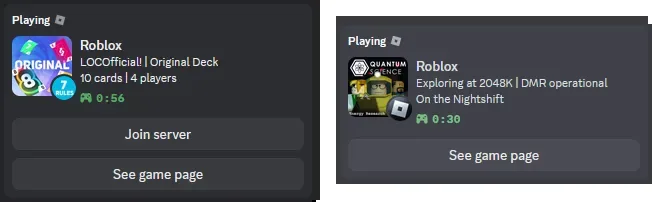
Both projects can add richer Discord activity information than the standard Roblox launcher. Bloxstrap focuses on showing the current Roblox experience and useful join or game-page actions. Froststrap lists additional custom status behavior, playtime information and Roblox Studio Rich Presence features. These are convenience features, not requirements for launching Roblox.
Review what you are comfortable displaying before enabling any activity integration. A game name, session time, server join control or Studio context may reveal more than the generic 'Playing Roblox' status. Use the least detailed mode that meets your needs, check Discord privacy settings, and disable Rich Presence when streaming, sharing a screen or using an account where activity should remain private.
Updates, safety and switching between bootstrappers
As checked on July 16, 2026, the latest stable Froststrap release is v2.0.5, published July 4, 2026, with the Windows asset Froststrap-windows-x64.msi (26.2 MiB). The latest stable Bloxstrap release is v2.11.3, published April 4, 2026, with the Windows asset Bloxstrap-v2.11.3.exe (about 12.0 MiB). These values are a dated verification snapshot, not a promise that the same versions will remain current; always open each project's latest-release page before downloading.
Froststrap's repository is licensed under AGPL-3.0 for its own or modified code while inherited upstream portions retain their original MIT terms. Bloxstrap's repository uses the MIT License. Open-source availability helps users inspect code and release history, but it is not an automatic malware guarantee. Use the Froststrap safety checklist: verify the repository owner, tag, filename and published digest, keep Windows security enabled, and avoid password-protected archives or third-party download managers.
When switching, test one bootstrapper at a time. Export or record settings you actually need, return experimental flags and mods to a known baseline, close Roblox, then install the other project's current stable release from its official source. Froststrap states that it can import settings from bootstrappers including Bloxstrap, but an import should still be reviewed instead of treated as proof that every old flag, channel or mod is currently valid.
Record the current setup
Save only trusted profiles, mod sources and settings you understand; note which bootstrapper created them.
Return to a clean baseline
Disable experimental flags, close Roblox and remove stale changes before judging the replacement.
Download from the official release
Verify the repository owner, stable tag, filename, size and digest for the exact asset.
Test before importing everything
Launch Roblox with defaults, then restore one profile or mod group at a time.
Which one should you choose?
Choose Froststrap if you specifically want its integrated mod generator, community-mod workflow, custom launcher appearance, region controls, account manager, shortcuts, extended RPC or update-management options—and you are willing to manage the extra complexity. Choose Bloxstrap if you want a mature bootstrapper with core mods, Rich Presence, server-location information and graphics/UI controls without as many project-specific layers.
Choose neither if you do not need third-party launcher features, cannot verify the official source, or prefer to minimize the number of applications interacting with Roblox. The normal Roblox installation route remains the simplest baseline. Whichever path you take, keep a reversible configuration and judge the tool by current documentation and reproducible behavior, not by claims that one fork is always faster, safer or better.
- Pick Froststrap for a named advanced feature, not for a vague 'more FPS' promise.
- Pick Bloxstrap when simpler scope and broader familiarity matter more than extra utilities.
- Keep the standard Roblox launcher when customization is not worth additional maintenance.
- Recheck official releases whenever a tutorial, screenshot or preset mentions an older version.
Froststrap vs Bloxstrap FAQ
Is Froststrap better than Bloxstrap?
Froststrap is better for users who need its broader mod, appearance, account, region and RPC features. Bloxstrap is often the better starting point for users who want a more focused and established core bootstrapper.
Which is better for FPS, Froststrap or Bloxstrap?
Neither can guarantee more FPS. Both can help manage supported graphics settings, but performance depends on the Roblox experience, hardware, drivers and the current Fast Flag allowlist.
Is Froststrap a fork of Bloxstrap?
Froststrap's repository says it contains code inherited through Fishstrap and Bloxstrap while adding its own modified features. They are related projects with separate maintainers and releases.
Can Froststrap import Bloxstrap settings?
Froststrap lists importing settings from Bloxstrap and Fishstrap as a feature. Review imported flags, channels and mods individually because older settings may no longer be supported by Roblox.
Can I keep Froststrap and Bloxstrap installed together?
Avoid testing both against the same active Roblox configuration at once. Use one bootstrapper at a time, keep a clean baseline and verify which application created each profile, mod or shortcut.
Official comparison sources
- Froststrap GitHub repositoryFirst-party README, feature list, license information and project history.
- Froststrap latest stable releaseFirst-party stable tag, Windows asset, size, date and published digest.
- Bloxstrap official websiteFirst-party feature descriptions and the Bloxstrap screenshots used in this guide.
- Bloxstrap GitHub repositoryFirst-party source, license, release history and documentation links.
- Bloxstrap latest stable releaseFirst-party current stable tag and Windows release asset.