
Quick answer: should you install the Froststrap beta?
Choose the stable v1.5.0 release if you mainly want Froststrap to launch Roblox on a Windows PC with the lowest practical update risk. Choose v2.0.0-beta.10 only when you need a beta-specific feature, want to test Linux or macOS support, or are prepared to report bugs and reinstall the stable build if necessary.
The keyword Froststrap 2.0.0 beta 5 points to a real official prerelease from May 8, 2026, but beta.5 has been replaced by beta.6 through beta.10. Downloading beta.5 today would mean deliberately choosing an older test build with fixes missing. Use the official Releases history to confirm the newest tag before downloading any prerelease.
| Choose | Best for | Main tradeoff |
|---|---|---|
| Stable v1.5.0 | Most Windows users and first-time installs | Does not include the cross-platform 2.0 beta work |
| Beta v2.0.0-beta.10 | Testers, Linux/macOS users and bug reporters | More change, larger installers and a higher chance of regressions |
| Older beta.5 | Reproducing an old bug only | Outdated prerelease; not the recommended current beta |
Froststrap beta.10 and stable v1.5.0 status
The repository's standard latest-release endpoint identifies v1.5.0 as the current stable release. Its official Windows asset is Froststrap-v1.5.0.exe, published July 4, 2026, with a file size of about 21.5 MiB. The site's normal Froststrap download page intentionally follows that stable release rather than automatically sending every visitor to a prerelease.
The newest prerelease is v2.0.0-beta.10, also published July 4, 2026. It offers two Windows installers plus Linux and macOS packages. GitHub labels it as a prerelease, so the higher version number does not turn it into the default stable download. A third-party page may describe 2.0 as the newest version without preserving that distinction; the official release badge and tag are the deciding evidence.
What changed in Froststrap v2.0.0-beta.10?
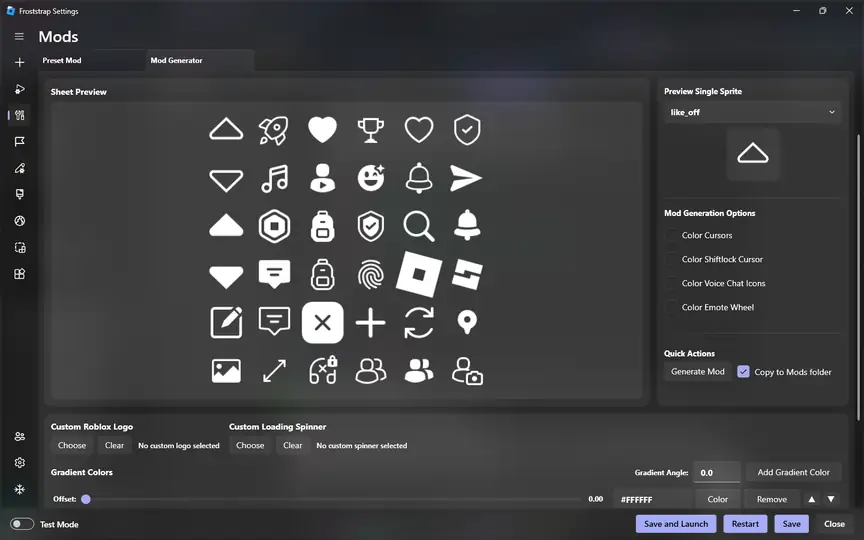
The beta.10 release notes describe a move to Avalonia 12, faster Linux Studio handling, a new sidebar display mode, improved mod importing and fixes for browser launch links, Roblox launch-protocol registration and mod restoration. The release also adds or repairs account-permission behavior on Linux and macOS, fixes the macOS installer icon and addresses several Linux, macOS, Sober and preset-mod issues.
Those changes explain why the beta is attractive to cross-platform testers, but they also show why it remains a test channel: beta.10 touches the UI framework, installers, operating-system integration, protocol registration, mod handling and platform-specific paths at the same time. Each area can behave differently across distributions, desktop environments, macOS permissions and existing Froststrap configurations.
- Linux packages: AppImage, DEB, Flatpak and RPM.
- macOS package: DMG, about 105.3 MiB.
- Windows packages: web/setup installer, about 22.7 MiB, and self-contained setup, about 78.4 MiB.
- Current beta tag checked on July 19, 2026: v2.0.0-beta.10.
Which official beta file matches your system?
Use only assets attached to the official beta.10 release. Do not download a similarly named installer from a mirror, video description or repost. The package format tells you the intended operating system, but it does not guarantee that every Roblox workflow is equally mature on every platform.
Linux and macOS support is part of the 2.0 prerelease line, not the stable v1.5.0 Windows release. If your search was specifically for Froststrap on Mac or Froststrap on Linux, the beta release is currently the relevant official source, but you should still review open Issues for your distribution, macOS version and Roblox installation method before switching.
| Platform | Official beta.10 asset | Approx. size | Use when |
|---|---|---|---|
| Windows | Froststrap-Setup.exe | 22.7 MiB | Normal beta setup with required runtime handling |
| Windows | Froststrap-SelfContained-Setup.exe | 78.4 MiB | You need the bundled/self-contained installer |
| Linux | AppImage / DEB / Flatpak / RPM | 35.8-51.2 MiB | The format matches your distribution or package workflow |
| macOS | Froststrap-macOS.dmg | 105.3 MiB | You accept prerelease macOS behavior and permission testing |
When the stable release is the better choice
Stay on stable when Froststrap already launches Roblox correctly and the beta does not solve a specific problem you have. A prerelease is not a routine upgrade just because its version number starts with 2.0. For a first installation, stable gives you a cleaner troubleshooting baseline and matches the site's standard Windows installation and verification guides.
Stable is also preferable when you depend on several mods, custom Fast Flags, account-manager workflows or automatic launch behavior. Changing the application framework and platform integration while keeping many custom settings makes it difficult to identify whether a failure comes from Froststrap, Roblox, a mod, a flag or a saved profile.
When testing the beta makes sense
Beta testing is reasonable when you need one of the Linux or macOS packages, are affected by a bug explicitly fixed in beta.10, or can provide a clear reproduction report. It is also useful for advanced users who maintain backups and can separate launcher testing from Roblox client, network and mod problems.
Before installing, record your current Froststrap version, operating system, selected channel, enabled mods and any custom configuration. Change only the release channel first. If the beta works with defaults, restore optional settings in small groups instead of importing everything immediately.
How to test Froststrap beta safely
This is a release-channel test, not a reason to disable Windows Security, Gatekeeper or Linux package safeguards. Confirm the repository owner, release tag and asset name, then keep the stable installer or release link available before changing your current setup.
If you use the automatic prerelease option mentioned in the v1.5.0 release notes, verify which channel it selects and whether you can disable prerelease updates afterward. The development channel fix covers saved channel values and permission problems; it does not make an old beta current.
1. Verify the official tag
Open the Froststrap/Froststrap release and confirm the prerelease badge says v2.0.0-beta.10.
2. Save a stable baseline
Record the stable version and keep the stable download guide available for rollback.
3. Back up important settings
Save configuration or mod information using documented controls rather than copying unknown application folders blindly.
4. Install the matching asset
Choose the Windows, Linux or macOS package published on the official beta release.
5. Launch with defaults
Test Roblox before restoring mods, custom flags, themes or account workflows.
6. Record and report failures
Capture the Froststrap tag, OS, package name, error text and repeatable steps without exposing account data.
How to return from beta to stable
If beta.10 crashes, fails to register Roblox links, breaks a mod workflow or behaves unpredictably, stop testing and return to the official stable release. Close Roblox and Froststrap first. Use the application's documented uninstall or channel controls where available, then install the current stable asset from GitHub and test with defaults.
Do not mix beta and stable files from different directories or restore every old setting before the stable baseline works. If stable also fails, follow the Froststrap troubleshooting guide and separate installation, permissions, network, Roblox-client and configuration checks.
- Close Froststrap, Roblox Player and Roblox Studio.
- Keep only the release asset you can trace to the official repository.
- Install v1.5.0 and test a default launch first.
- Restore mods and custom settings gradually.
- Use GitHub Issues for repeatable beta-specific bugs.
Limits of this release comparison
Release status can change after this page's July 19, 2026 verification date. The version table is based on the official GitHub release list: v1.5.0 is the stable release and v2.0.0-beta.10 is the newest prerelease at the time checked. Always recheck the tag, prerelease badge, publication date and asset list before downloading.
This guide does not guarantee that Froststrap, Roblox, Sober, mods or account tools will work on every machine. It also does not label a prerelease as safe merely because it is public source. Use the Froststrap verification guide for source, hash and warning checks, and avoid unofficial mirrors.
Froststrap beta FAQ
Is Froststrap 2.0.0 beta 5 still the latest beta?
No. Beta.5 was published May 8, 2026. The official repository listed v2.0.0-beta.10 as the newest prerelease when checked on July 19, 2026.
Is Froststrap 2.0 beta the stable release?
No. GitHub labels v2.0.0-beta.10 as a prerelease. The latest stable release is v1.5.0 at the time of this check.
Does the Froststrap beta support Linux and macOS?
Beta.10 publishes AppImage, DEB, Flatpak and RPM packages for Linux plus a macOS DMG. These are prerelease packages, so platform-specific bugs are still possible.
Which Windows beta installer should I choose?
The official release provides Froststrap-Setup.exe and a larger Froststrap-SelfContained-Setup.exe. Use the normal setup unless you specifically need the self-contained package.
Can I go back to Froststrap v1.5.0 after testing beta?
Yes. Close Froststrap and Roblox, reinstall the official stable v1.5.0 asset, test with defaults and restore optional settings gradually.
Official release sources
- Froststrap v2.0.0-beta.10 prereleaseOfficial tag, release notes and Windows, Linux and macOS assets; checked July 19, 2026.
- Froststrap v1.5.0 stable releaseOfficial stable tag, Mods Update notes and Windows executable.
- Froststrap release historyUse the full official release list to confirm whether a newer stable or prerelease tag now exists.