
Is Froststrap safe to download?
Searching for a Froststrap download does not prove that a file is genuine. Check that the link leads to the public Froststrap/Froststrap GitHub release and that the tag, filename, size and checksum match the same release asset.
Those checks reduce common risks such as fake mirrors, renamed files and stale installers. They do not prove that every line of code is harmless, that a future update will behave identically, or that a checksum is an independent safety audit.
What can you verify before running Froststrap?
Start with origin. The address should be under github.com/Froststrap/Froststrap, and the asset URL should include the expected release tag and filename. A search result, video description or page that merely uses the Froststrap name is not equivalent to the project repository.
Next, compare the local file with release metadata. For the current stable asset, GitHub publishes the SHA-256 value b8140f062863d31a146b130fe49e2b3f30513287fb74149e8c190197e8d798c5. A matching hash shows that the bytes on your computer match the referenced release asset. It does not independently prove that the program is safe; it proves file identity.
Download from the project release
Use the repository's stable release page or this site's redirect to the official GitHub asset. Avoid mirrors, shortened URLs and repackaged archives.
Calculate the local SHA-256
Open PowerShell and run
Get-FileHash .\Froststrap-windows-x64.msi -Algorithm SHA256from the folder containing the installer.Compare every character
The result should match
b8140f062863d31a146b130fe49e2b3f30513287fb74149e8c190197e8d798c5. If it differs, delete the file and download again from the official release.Scan before opening
Leave Microsoft Defender or your trusted security product enabled. Stop if the file came from another host, the hash differs or the warning identifies a specific malicious behavior.
Why can Windows warn about Froststrap?
Microsoft Defender SmartScreen can warn about an app that has limited reputation, is newly released, or is not commonly downloaded. A generic “Windows protected your PC” or “unrecognized app” message is not by itself proof of malware, but it is also not permission to click through automatically.
Read the exact warning, confirm the publisher information shown by Windows, verify the source and hash, and search the project's recent issues for reports about the same version. If Windows or another scanner names a concrete threat, quarantines the file repeatedly, or the release details do not match, do not run it until the project has explained the result.
| Signal | What it tells you | What it does not prove | Recommended action |
|---|---|---|---|
| Official GitHub URL | The file came from the named repository | The code is harmless | Continue with file checks |
| Matching SHA-256 | The local bytes match the release asset | The release is safe | Keep the result with the release tag |
| SmartScreen reputation warning | Windows has limited reputation data or concerns | Automatic malware confirmation | Review details before deciding |
| Specific malware detection | A security engine identified a named behavior or signature | That every engine agrees | Stop, quarantine and investigate |
| Open source repository | Code and history can be inspected | The binary was independently audited | Review changes and issue reports |
What does Froststrap change on your computer?
Froststrap is a Roblox bootstrapper, so it needs to manage local Roblox installation and configuration files to provide launcher, appearance and mod features. That broader access is one reason you should evaluate the software more carefully than a static web page or image viewer.
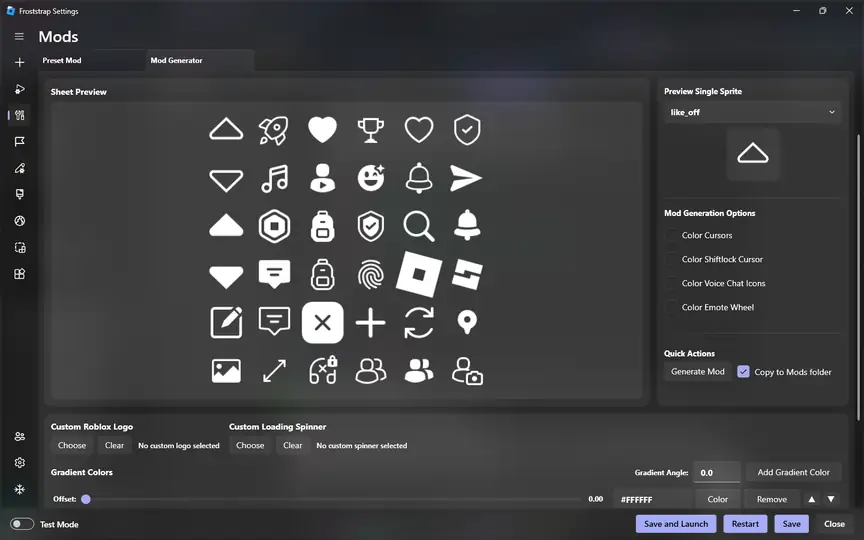
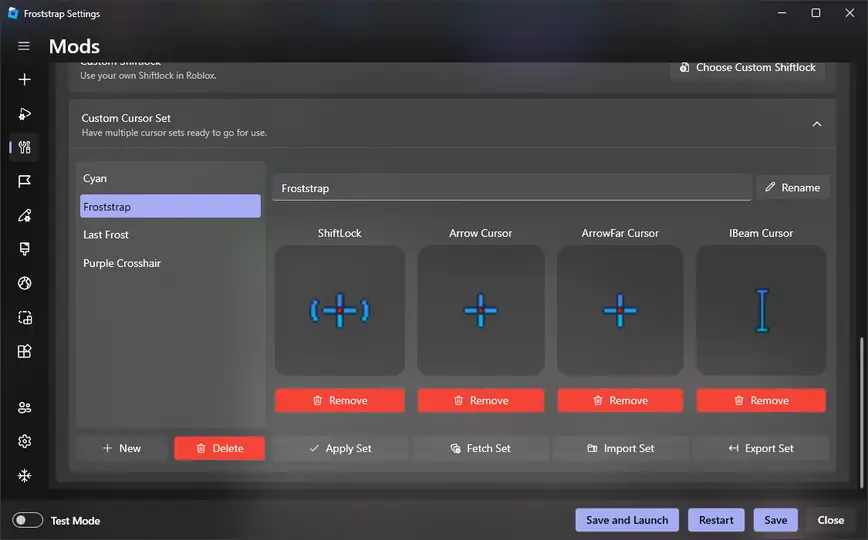
Features shown in the project interface include mod generation, cursor and Shift Lock customization, configuration controls and launch actions. Use defaults first, enable one change at a time and keep backups of custom files. If you do not understand a downloaded preset or script, do not import it merely because it promises higher FPS or special features.
Froststrap stable release versus beta
GitHub can list prerelease builds above the latest stable release. The site's download flow intentionally uses the latest stable endpoint, currently v2.0.5. A Froststrap beta may contain newer work, different installer details or unresolved issues.
Choose a beta only when you need a documented change and accept additional testing risk. Verify its own tag, asset, size and checksum separately; never compare a beta file with the stable release hash.
A safer Froststrap checklist
A good decision is based on multiple checks, not on a single “safe” label. Recheck the release whenever the version changes, because a checksum and community report apply to a specific file rather than every future build.
If any critical detail is inconsistent, pause. Waiting for a maintainer response is safer than replacing the official release with an unknown mirror or disabling security protection to force an installer to run.
- Open the official
Froststrap/Froststraprepository yourself. - Prefer the latest stable release unless you deliberately need a beta.
- Match the tag, filename, file size and SHA-256 digest.
- Keep Windows Update, SmartScreen and antivirus protection enabled.
- Review release notes and recent issues for the exact version.
- Reject mirrors, cracked builds, password-protected archives and bundled download managers.
- Never enter Roblox credentials into a download page or unofficial installer prompt.
- Back up custom Roblox files before enabling mods or experimental settings.
Froststrap Safety FAQ
Is Froststrap a virus?
This site cannot certify that an executable is virus-free. Verify the official GitHub source, match the release asset and SHA-256, keep security tools enabled, and investigate any specific detection before running the file.
Why does SmartScreen block Froststrap?
SmartScreen may warn when an app has limited reputation or is not commonly downloaded. Verify the exact source and file before deciding; do not assume a generic warning proves safety or malware.
Does a matching SHA-256 mean Froststrap is safe?
No. A matching SHA-256 proves that your file matches the referenced release asset. It does not independently audit the program's behavior or guarantee that the release is harmless.
Should I download a Froststrap beta?
Use a beta only when you need its documented changes and accept prerelease risk. Verify the beta's own tag, filename, size and checksum; do not use the stable release hash for a beta asset.
Official verification references
- Froststrap GitHub repositoryFirst-party source code, project history, issues and release navigation.
- Froststrap latest stable releaseFirst-party stable release tag, notes, asset and published digest.
- Microsoft Defender SmartScreen overviewMicrosoft explanation of reputation-based protection and warnings.
- Microsoft Get-FileHash documentationOfficial PowerShell reference for calculating SHA-256 hashes.