
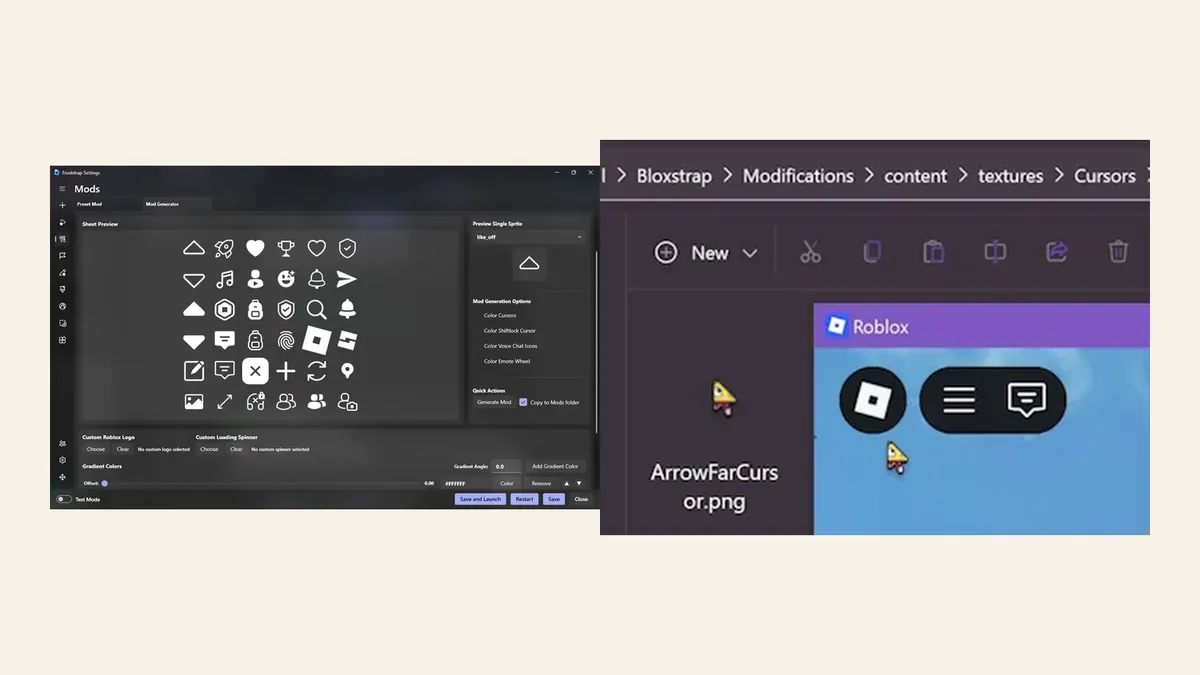
Quick comparison: which Bloxstrap alternative fits you?
Choose Froststrap when you can name an advanced feature you want, such as its multi-mod workflow, built-in mod generator, account manager, region tools, launcher themes or expanded Discord Rich Presence. Choose Voidstrap when you want a Bloxstrap-derived Windows bootstrapper with an active public repository but do not need Froststrap's broader collection of integrated tools. Choose the standard Roblox launcher when your priority is reducing third-party maintenance rather than adding controls.
Bloxstrap itself remains a valid reference point. Its official repository describes a focused set of features including content-file mods, Discord Rich Presence, server-location information and graphics or UI configuration. An alternative is useful only when it solves a concrete limitation for you; changing launchers without a defined goal adds migration work without guaranteeing better performance.
| Option | Best for | Main trade-off | Current public snapshot |
|---|---|---|---|
| Froststrap | Advanced customization, mods and integrated utilities | More settings create a larger troubleshooting surface | v2.0.5; active official repository |
| Voidstrap | Users who want another actively maintained Bloxstrap-derived Windows option | Smaller project and less established documentation | v1.1.0.5; active official repository |
| Standard Roblox launcher | Players who want the simplest supported baseline | No third-party mod, RPC or bootstrapper controls | Updated through Roblox's normal channel |
| Fishstrap | Users researching the upstream path behind Froststrap | Official site currently says repositories are temporarily hidden | Do not use an unofficial mirror as a substitute |
| Bloxstrap | Users satisfied with a mature, focused bootstrapper | May not include fork-specific utilities | v2.11.3; official project remains available |
Use Bloxstrap as the baseline before comparing alternatives
A useful Bloxstrap alternatives guide starts with the job Bloxstrap already performs. It replaces the normal Roblox bootstrap flow with optional controls for content-file modifications, Discord Rich Presence, server information and selected graphics or interface settings. If those features already cover your needs, staying on the current setup is usually easier than migrating profiles and mods.
Avoid treating every fork as a direct upgrade. Forks can add useful features, but they also introduce separate release schedules, settings formats and support channels. Compare official documentation, recent releases and the exact feature you need instead of relying on a tier list or an old video description.
Froststrap: the best Bloxstrap alternative for deeper customization
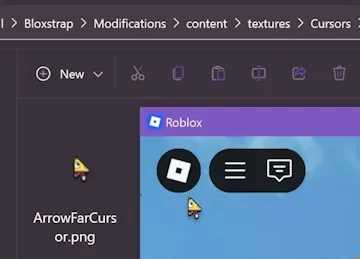
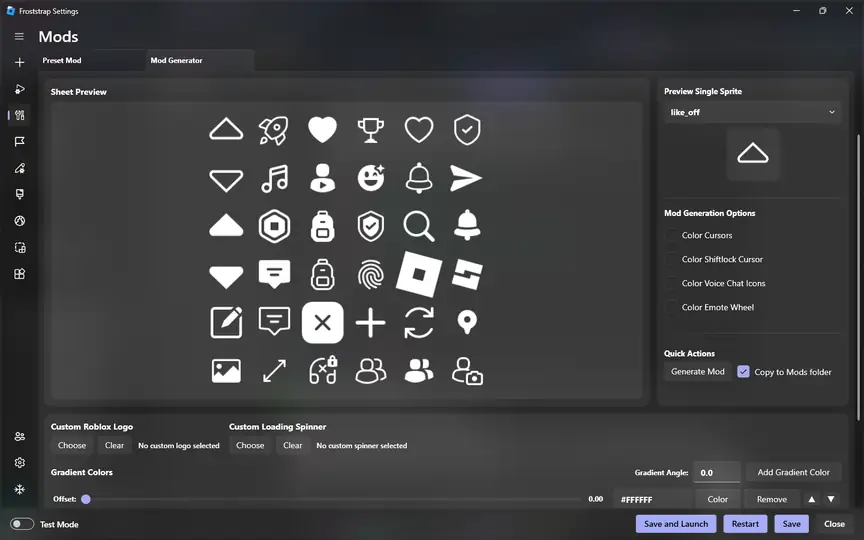
Froststrap is the clearest alternative for users who want more controls inside one application. Its official repository lists a multi-mod system, community mod downloads, a mod generator, custom cursor sets, Fast Flag profiles and allowlist cleanup, custom themes, account tools, region selection, shortcuts, update-channel controls and extended Rich Presence features.
That wider scope is both the advantage and the cost. Froststrap can replace several separate workflows, but it also gives you more settings to isolate when Roblox changes behavior or a mod stops working. Start with defaults, add one feature group at a time and keep a record of imported settings. The current stable release verified for this site is v2.0.5, published through the official Froststrap GitHub repository.
Voidstrap: an active Windows-focused alternative
Voidstrap describes itself as a simple but advanced fork of Bloxstrap with additional customization and improvements. Its public repository currently lists Windows 10 and newer as the supported platform, while macOS support is still planned. The latest public stable release checked for this comparison is v1.1.0.5.
Voidstrap is worth evaluating when you want an actively updated fork and prefer to compare its current interface and release notes directly. Its smaller public footprint means you should be especially strict about using the exact official Voidstrap repository, reviewing the latest release page and testing with a clean Roblox configuration. Do not assume feature parity with Froststrap or Bloxstrap merely because the projects share ancestry.
The standard Roblox launcher is the lowest-maintenance alternative
Not every Bloxstrap user needs another bootstrapper. If you no longer use content mods, Rich Presence, server-location tools or custom configuration controls, returning to Roblox's normal launcher removes an extra application and a separate update path. This is the strongest option for players who value simplicity over customization.
The trade-off is straightforward: you lose the convenience features supplied by third-party bootstrappers. Keep the standard launcher in your decision table anyway, because it is the correct baseline for testing whether a crash, update loop or launch failure is caused by Roblox itself or by the custom bootstrapper configuration.
- Use the standard launcher when you cannot identify a third-party feature you still need.
- Test normal Roblox before blaming a bootstrapper for a platform-wide outage.
- Remove or archive custom mods and profiles before judging a clean baseline.
- Do not download a repackaged Roblox installer from an unofficial mirror.
Why Fishstrap is not a current install recommendation
Fishstrap is relevant to this comparison because Froststrap identifies itself as a Fishstrap fork, and many users still search for Fishstrap by name. However, the official Fishstrap website currently states that its repositories are temporarily hidden. That makes current source and release verification harder than it should be for a downloadable bootstrapper.
Treat Fishstrap as a research reference until its maintainers restore a clearly verifiable public source and release path. Do not substitute a similarly named GitHub repository, a search ad or a mirror just because the original project is unavailable. A related keyword can belong in a comparison section without being safe or suitable as a new download page.
How to switch Roblox bootstrappers without carrying problems over
Most migration problems come from moving old flags, mods and channel choices into the new tool before confirming that the default setup works. Use a reversible sequence and keep only settings you understand.
Record the current setup
Note the active bootstrapper, Roblox channel, custom Fast Flags, mod folders, shortcuts and account-related tools.
Return to a clean baseline
Close Roblox, disable experimental flags and temporarily move custom content outside the active folders.
Use the official project source
Open the maintainer's repository or official site and verify the owner, release tag and asset before downloading.
Launch with defaults first
Confirm that Roblox starts normally before importing settings or enabling convenience features.
Restore one feature group
Add mods, Rich Presence, flags or channel controls separately so a failure has one likely cause.
Keep a rollback path
Preserve the clean baseline and the standard Roblox launcher until the replacement is stable for your routine.
Do Bloxstrap alternatives improve FPS?
No bootstrapper can guarantee more FPS across every Roblox experience. Hardware, drivers, the game itself, Roblox updates and the current Fast Flag allowlist all affect results. A launcher may expose supported graphics controls or make configuration easier, but that is different from creating performance that the client and hardware cannot deliver.
Use the Roblox Fast Flags guide to understand current allowlist limits. Reject presets that promise impossible gains, bypasses or universal low ping. The best Roblox bootstrapper is the one that provides the controls you need while remaining understandable, reversible and verifiable.
Final recommendation
For most readers specifically searching for a Bloxstrap alternative, Froststrap is the strongest first comparison because it has a public source, a current stable release and a clearly differentiated feature set. Voidstrap is a reasonable second option for Windows users who want another active fork and are comfortable evaluating a smaller project. The standard Roblox launcher is the correct choice when minimizing maintenance matters more than customization.
Stay with Bloxstrap if it already meets your needs. Wait on Fishstrap until its official public source and releases are verifiable again. Whatever you choose, download only through the maintainer's official repository or site, test defaults before importing anything and keep your configuration reversible.
Bloxstrap alternatives FAQ
What is the best Bloxstrap alternative?
Froststrap is the strongest alternative for users who want deeper mods, appearance controls, account tools, region features and extended Rich Presence. Voidstrap is another active Windows-focused fork, while the standard Roblox launcher is best for minimal maintenance.
Should I switch from Bloxstrap to Froststrap?
Switch only if you need a specific Froststrap feature. If Bloxstrap already covers your mods, Rich Presence and graphics settings, staying avoids unnecessary migration work.
Can a Roblox bootstrapper increase FPS?
A bootstrapper may expose supported graphics settings, but it cannot guarantee higher FPS. Results depend on hardware, drivers, the Roblox experience, client updates and the current Fast Flag allowlist.
Is Voidstrap the same as Bloxstrap?
No. Voidstrap is a separate Bloxstrap-derived project with its own maintainers, releases and feature decisions. Verify its official repository rather than assuming all Bloxstrap settings transfer unchanged.
Is there a Bloxstrap alternative for macOS or Linux?
The Windows bootstrappers compared here do not provide a simple cross-platform replacement. Voidstrap's documentation points macOS users to AppleBlox and Linux users to Sober, but each is a separate project with its own requirements and risks.
Is Fishstrap still available?
The official Fishstrap website currently says its repositories are temporarily hidden. Until a public first-party source and release path are restored, avoid unofficial mirrors and similarly named repositories.
Official sources checked
- Froststrap GitHub repositoryFirst-party feature list, project relationship, source and release links.
- Froststrap latest stable releaseFirst-party stable version, release date and Windows executable.
- Bloxstrap GitHub repositoryFirst-party source, feature summary, documentation and releases.
- Voidstrap GitHub repositoryFirst-party platform notes, project description and release history.
- Voidstrap latest releaseFirst-party stable tag and Windows asset used for the current snapshot.
- Fishstrap official websiteFirst-party availability notice stating that repositories are temporarily hidden.