
What a Roblox bootstrapper does
A Roblox bootstrapper is a Windows utility that manages or extends parts of the Roblox desktop setup. Depending on the project, it can help with installation paths, update handling, launch channels, shortcuts, profiles, supported client settings or local customization. The word describes a category, not one official Roblox product. Froststrap, Bloxstrap, Fishstrap and Voidstrap are separate projects with separate maintainers, releases and support channels.
The important boundary is simple: Roblox still provides the platform, account services, game client and experiences. A bootstrapper is an optional launch and configuration layer around that installation. It does not give you a new Roblox account, ownership of an experience, free Robux or guaranteed access to a server. If the standard Roblox launcher cannot connect because the platform or network is unavailable, changing bootstrapper settings will not repair the underlying outage.
- You still use normal Roblox services and a supported Windows computer.
- The bootstrapper may organize launch and configuration tasks before Roblox opens.
- Features can change when Roblox or the bootstrapper project updates.
- The project repository and release notes are stronger evidence than an old video or mirror.
What it changes—and what it cannot guarantee
A useful way to judge a bootstrapper is to separate the layer it controls from the result you hope to get. It may make a setting easier to save, expose a supported option or make a repeatable profile. That does not mean it controls every part of the Roblox client, the game server, your graphics driver or your network route.
Treat performance language especially carefully. A bootstrapper can organize graphics settings or permitted client values, but it cannot promise a fixed FPS increase, lower ping or universal stability on every computer. Hardware, drivers, temperature, background applications, the selected experience and Roblox updates all affect the result.
| Layer | A bootstrapper may help with | What it cannot guarantee |
|---|---|---|
| Installation | A clearer installer or a chosen local path | That Windows will approve every file or permission prompt |
| Launch | Shortcuts, profiles, channels or startup choices | That an unavailable Roblox deployment channel will work |
| Customization | Supported mods, appearance or local assets | That every old mod remains compatible after an update |
| Performance | Repeatable graphics or client settings | Higher FPS, lower ping or faster servers for every user |
| Accounts | Documented account-context conveniences | Protection from phishing, leaked tokens or unsafe third-party tools |
Froststrap as a current example
Froststrap is an independent open-source Roblox bootstrapper with its own Windows releases and feature set. The stable release checked for this guide is v1.5.0, published July 4, 2026. That version fact is a dated verification snapshot, not a permanent promise; release pages can change, so compare the tag, filename, file size and published digest before running an installer.
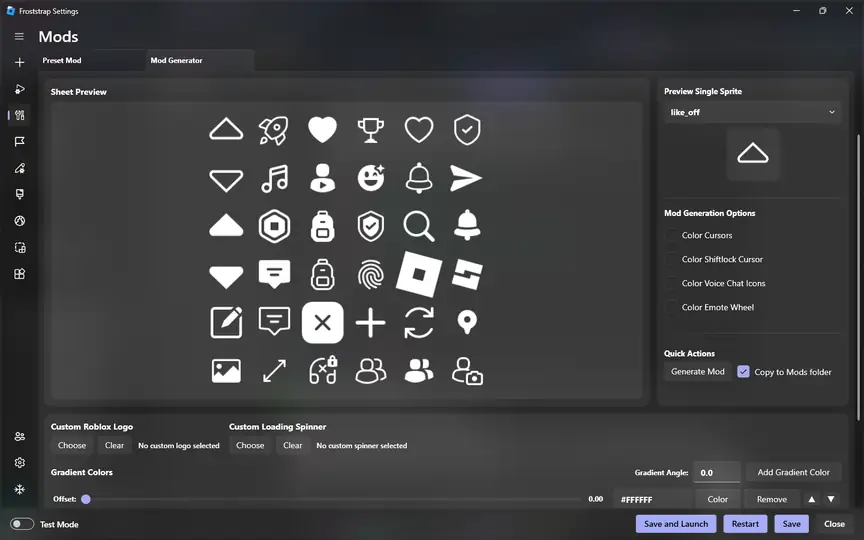
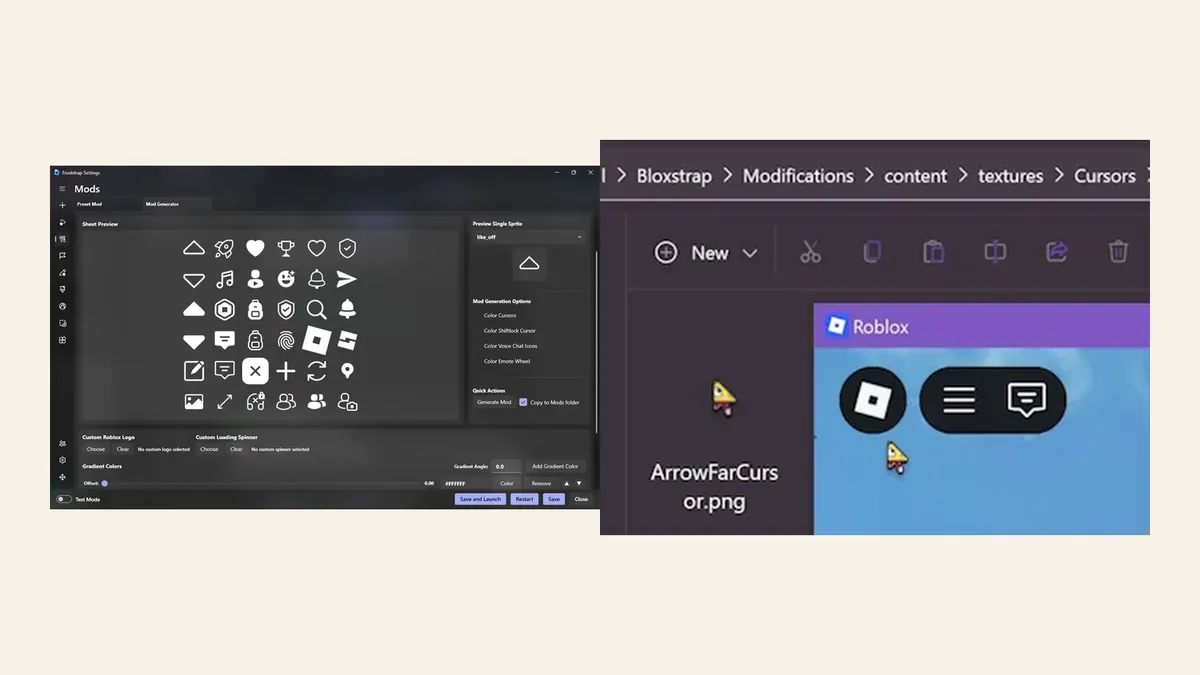
The public Froststrap project presents a broader set of controls than a bare launcher, including a Mod Generator, appearance options, region selection, shortcuts, Rich Presence and account-related conveniences. The practical benefit is organization: a user can keep repeatable choices in one place instead of editing folders by hand. The trade-off is more configuration surface. Start with defaults, change one option at a time and keep a reversible path back to the normal Roblox launch flow.
- Froststrap is not made by Roblox Corporation and this site is an independent guide.
- The current stable release is separate from the v2.0.0-beta.10 prerelease observed in the official release list.
- Use the documented feature for a specific need; do not install a large settings pack just because it is popular.
- For the verified release file and checksum, use the site's existing download and safety pages.
Froststrap, Bloxstrap, Fishstrap and Voidstrap
Related names do not mean identical products. Froststrap's own project history describes inherited code and ideas across the Bloxstrap and Fishstrap family, while Bloxstrap maintains its own repository, documentation and release process. Fishstrap and Voidstrap should likewise be checked as separate projects. A familiar menu is not proof that a setting, file path, migration step or safety decision is shared across versions.
For a first comparison, ask what problem you are solving rather than which name is most popular. Bloxstrap may be the simpler reference point for a focused bootstrapper workflow. Froststrap may appeal when you specifically want its broader integrated controls. A standard Roblox launcher may still be the best choice when you do not need third-party customization. The right answer can be 'none' if the extra maintenance is not worth it.
| Option | Best starting question | Main caution |
|---|---|---|
| Standard Roblox launcher | Do I need any third-party control? | You give up bootstrapper-specific customization |
| Froststrap | Do I need a named advanced Froststrap feature? | More controls mean more combinations to test |
| Bloxstrap | Do I want a focused, familiar bootstrapper baseline? | Verify the current official release and supported features |
| Fishstrap or Voidstrap | Does the project solve a specific need today? | Check current maintenance, source and migration guidance first |
How to choose a Roblox bootstrapper
Search phrases such as 'best Roblox bootstrapper' often hide different goals. One user wants a cleaner launch menu, another wants local mods, and another is trying to fix a startup error. Choose by the job, then verify that the project still supports that job in its current release. Avoid choosing from a single FPS claim, a reposted download button or a screenshot with no source.
The following sequence keeps the decision reversible. It also makes it easier to tell whether a problem belongs to Roblox, Windows, the network or the bootstrapper itself.
Name the feature
Write down the exact reason you want a bootstrapper: a shortcut, a supported mod workflow, a profile, a region control or another documented function.
Check the current source
Open the maintainer's repository and release page. Confirm the project owner, stable tag, asset name, published date, file size and digest when available.
Test the normal baseline
Close Roblox and other bootstrappers, then confirm that the standard Roblox launcher can open on the same computer and network.
Start with defaults
Install or launch with the least surprising settings. Do not import every old flag, mod and channel at the same time.
Change one thing
Add one supported feature, test the same Roblox experience and record the result. If it fails, remove that last change before testing another.
Install, test and roll back safely
A safe workflow is mostly source discipline and reversibility. Do not enter a Roblox password, session cookie or two-factor code into a download page. Keep Windows Security enabled while you inspect a warning. A warning is a reason to verify the publisher, path and release asset; it is not a reason to install a random 'repair' tool or disable protection globally.
Before switching projects, close Roblox and any other bootstrapper that may be managing the same installation. Record only settings you understand. If a new mod, channel or profile causes trouble, return to defaults and test the normal launcher. A clean comparison is more useful than repeatedly reinstalling several tools while their settings overlap.
- Download from the maintainer's release page or a clearly documented official page.
- Keep the stable and prerelease channels separate in your notes.
- Do not run two bootstrappers against one active configuration without a migration plan.
- If Roblox fails, compare a clean standard launch before changing security or deleting broad folders.
- Remove only documented files or settings, and keep a small record of what you changed.
Common mistakes to avoid
The most common mistake is treating a bootstrapper as a universal performance booster. Another is assuming that a fork inherits every feature, path or fix from its upstream project. Both assumptions create bad troubleshooting: users change several variables, then cannot tell which tool or setting caused the new behavior.
A better habit is to keep the product claim narrow. Say that a project exposes a documented control, not that it makes every Roblox game faster or safer. Keep the official source, current release notes and a clean rollback path close at hand.
- Do not treat 'free Robux', executor, bypass or credential requests as normal bootstrapper features.
- Do not copy a huge Fast Flag list without checking what the current Roblox client permits.
- Do not call a project official merely because its name contains Roblox.
- Do not rely on an old tutorial when the current release page shows a different asset or channel.
- Do not use a second bootstrapper to diagnose the first one before restoring a known baseline.
Roblox Bootstrapper FAQ
Is a Roblox bootstrapper an official Roblox product?
Usually no. Froststrap, Bloxstrap and similar tools are independent Windows projects. Verify the maintainer and release source, and do not confuse a third-party bootstrapper with Roblox Corporation.
Does a Roblox bootstrapper increase FPS or lower ping?
It cannot guarantee either result. A bootstrapper may organize supported graphics or client settings, but FPS and ping also depend on hardware, drivers, the experience, the network and current Roblox behavior.
Does a bootstrapper replace Roblox?
No. It works around the installation and launch workflow while Roblox continues to provide the platform, account services, client and experiences.
Which Roblox bootstrapper should I use?
Choose the smallest tool that solves a named problem. Compare the current documentation, maintenance, release assets, supported features and rollback path. The normal Roblox launcher is valid when you do not need third-party controls.
Can I install two Roblox bootstrappers?
You should avoid letting two tools control the same active configuration without understanding migration. Close one before testing the other, record the source of settings and return to a clean baseline when behavior becomes unclear.
Where should I download Froststrap?
Use the public Froststrap project release or the verified download path described by this independent guide. Check the stable tag, filename, size and SHA-256 before running the Windows file; do not use an unknown mirror.
Official sources checked
- Froststrap GitHub repositoryFirst-party project description, feature context, source and issue history.
- Froststrap stable releaseFirst-party stable tag, Windows asset, size, date and published digest.
- Bloxstrap official websiteFirst-party explanation and screenshots for the Bloxstrap bootstrapper workflow.
- Bloxstrap GitHub repositoryFirst-party source, documentation and release history for comparison context.