
Quick verdict: Froststrap vs Fishstrap
There is no responsible one-word winner for Froststrap vs Fishstrap. Choose Froststrap when its current release, interface and documented features match the Roblox workflow you want. Choose Fishstrap when its repository and release notes provide the clearer support path. If neither project explains a feature in current first-party material, treat it as unverified instead of trusting a copied download page.
The most important distinction is ownership. Related code or a common Bloxstrap background can explain the resemblance, but each repository can ship different settings and binaries. A screenshot from one project does not prove the other has the same option. Start with the source, then compare the exact release asset and behavior.
| Decision question | What to check | Why it matters |
|---|---|---|
| Which source is current? | Repository owner, Releases page and recent commits | Forks and mirrors can reuse the same name. |
| Which features are real? | Current README, release notes and visible settings | Old videos often describe removed or changed options. |
| Which file should run? | Tag, filename, host and digest for the same release | A familiar logo does not verify an executable. |
| Which project fits? | Your required mods, flags, launch flow and support path | A longer feature list is not automatically a better fit. |
How Froststrap and Fishstrap are related
The Froststrap project describes itself as a Bloxstrap fork with code and ideas connected to Fishstrap and Bloxstrap. Read that as lineage context, not a promise of identical behavior. A downstream project can change its interface, defaults, release cadence or supported configuration while keeping familiar concepts.
For a fair Froststrap vs Fishstrap comparison, separate upstream history, current implementation and current distribution. History explains an idea's origin; implementation is what the installed build does; distribution is the repository and Release asset you can inspect. Mixing them can turn a community post into a false claim of shared official ownership or identical maintenance.
| Layer | Froststrap vs Fishstrap reading | Safe wording |
|---|---|---|
| Lineage | Projects may share Bloxstrap-family history or concepts | Related projects, not automatically identical products |
| Feature | A control must be present in the current build or release notes | Available in the checked release |
| Maintenance | Each project has its own repository, issues and release decisions | Check the maintainer's current source |
| Download | Use the asset attached to the matching public Release | Verify the exact tag and filename |
Features, mods and customization: compare the workflow
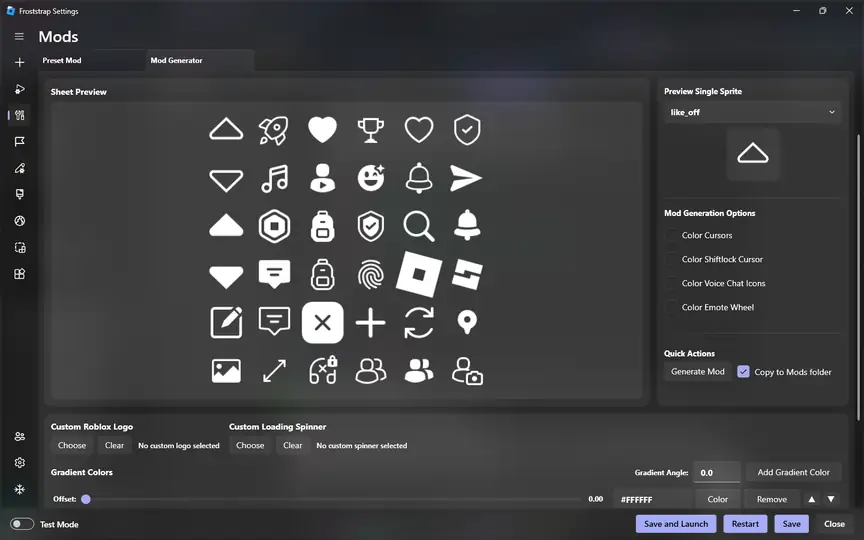
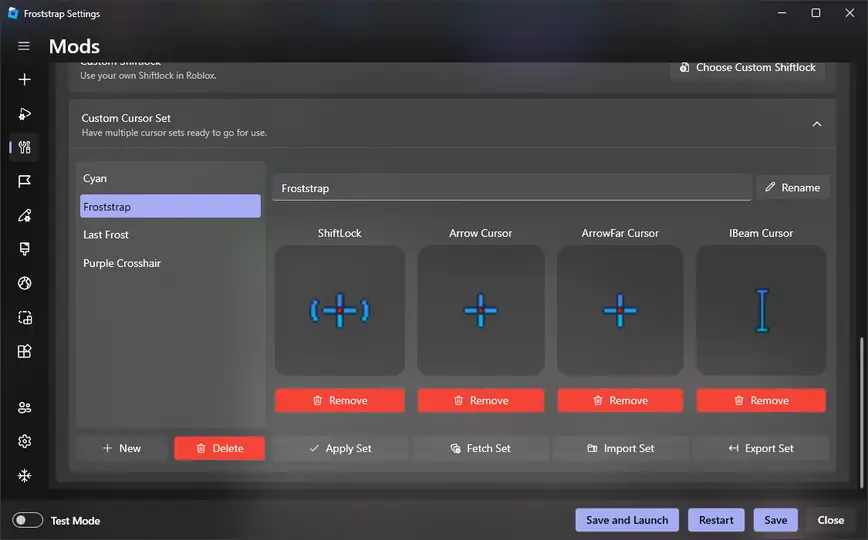
Feature comparisons are most useful when they describe a task rather than a marketing label. Ask whether you can create or import a local cosmetic asset, target the player client or Studio, set a priority when files overlap, disable a package and return to default. Froststrap's current guide documents a Mod Generator and My Mods workflow; do not copy those names to Fishstrap without confirmation from its own source.
For a cursor, texture, interface asset or other local visual change, test one small package first. Keep the original archive, inspect file types and avoid requests for a Roblox cookie, unrelated executable or security exclusion. Neither project is an exploit menu, script executor, modified mobile APK or free-Robux tool.
| Task | Froststrap comparison point | Fishstrap check |
|---|---|---|
| Create a cosmetic asset | Look for the current Mod Generator or documented equivalent | Confirm the feature in Fishstrap's own release material |
| Import a package | Inspect the archive and keep rollback possible | Check supported file types and target folders |
| Resolve conflicts | Review target and priority behavior | Do not assume the same priority order |
| Return to default | Disable the package before deleting anything | Use the project's documented reset path |
FPS, Fast Flags and performance claims
A bootstrapper can expose launch settings, but it cannot guarantee a frame-rate increase in every Roblox experience. FPS depends on hardware, resolution, graphics settings, client updates, background load, network conditions and the experience itself. A page that promises a fixed FPS number is a reason to inspect the claim, not a reason to install an unknown build.
Treat Fast Flags as a separate configuration question in both projects. First check whether the flag is allowed, supported and documented for the release you are using. Then change one setting, record the original value and test a normal Roblox launch. The Roblox Fast Flags guide explains why an allowlist and a reversible test are more useful than a giant copied preset.
- Measure the same experience before and after a change.
- Do not describe a lower graphics setting as a guaranteed bootstrapper improvement.
- Keep a clean default profile before importing flags or mods.
- Remove a setting that causes startup, rendering or account problems.
- Use the current release notes instead of an old FPS video.
Updates, safety and switching between the two
Switching from Froststrap to Fishstrap, or back, is easier as a controlled migration. Record the project and release, export only settings you understand, disable experimental flags, close Roblox and test the replacement with defaults. Do not copy every old folder on the first launch; that can hide whether a problem belongs to the app, a mod or stale configuration.
The public repository is the authority for source ownership and release notes, while Windows security tools are part of your local decision. A warning can reflect reputation, an incomplete download or a real detection; it is not proof that a file is safe or unsafe by itself. Compare the exact asset, keep protection enabled and stop when the host, filename, tag or digest does not match. The Froststrap safety guide covers this verification chain in more detail.
1. Save a readable baseline
Write down the current bootstrapper, release tag, enabled mods and important settings. Keep credentials and session cookies private.
2. Disable custom changes
Close Roblox and return to defaults before judging the other project. This prevents an old flag or asset from being blamed on the new install.
3. Verify the new source
Open the intended repository, read the current release notes and match the asset name to the tag before running it.
4. Test one capability
Launch Roblox once, then restore one known setting or mod at a time. Keep the rollback path available.
Which project should you choose?
Pick Froststrap if you want its documented interface, current Mod Generator or particular launch workflow and can check the public source. Pick Fishstrap if its current repository gives you the needed feature, release history and compatibility information more clearly. Pick neither if the download is a mirror, the release cannot be verified or the feature requires credentials, an exploit or a security bypass.
The practical winner is the project you can inspect, update and remove without guesswork. Keep the first run simple: install the public release, launch Roblox with defaults, make one reversible change and record the result. If startup fails, return to the Froststrap troubleshooting guide or the selected project's issue tracker.
| If your priority is | Start with | Do not assume |
|---|---|---|
| Froststrap-specific mod workflow | Froststrap's current release notes and Mods guide | Fishstrap has the same controls |
| A different project or maintenance path | Fishstrap's current repository and Releases | A fork has identical support or defaults |
| Higher FPS | A measured clean baseline and normal Roblox settings | A bootstrapper guarantees performance |
| Safe downloading | Repository, tag, filename, host and digest checks | A search result or logo proves authenticity |
Froststrap vs Fishstrap FAQ
Are Froststrap and Fishstrap the same?
No. They are related Roblox bootstrapper projects, but each can have separate maintainers, releases, defaults and supported features. Read the current source for the exact build you plan to use.
Is Froststrap based on Fishstrap?
The Froststrap project describes a Bloxstrap-family relationship and Fishstrap/Bloxstrap code lineage. Treat that as project history, not proof that every Fishstrap feature exists in the current Froststrap release.
Which is better for Roblox FPS?
Neither should be treated as a guaranteed FPS booster. Measure a clean Roblox baseline, change one supported setting at a time and remove anything that creates startup or rendering problems.
Can I use Froststrap and Fishstrap together?
Do not run two bootstrappers as a normal setup. Close Roblox, disable custom changes, keep one readable baseline and test the selected project alone before restoring any compatible settings.
Where should I download Froststrap or Fishstrap?
Use the repository and public Release page maintained by the project you selected. Match the tag, filename, host and available digest; avoid mirrors, bundled download managers and files that request credentials or security exclusions.
Comparison sources
- Froststrap GitHub repositoryFirst-party project description, source history and feature context.
- Froststrap ReleasesFirst-party tags, release notes and downloadable assets.
- Froststrap download and setup guideLocal verification flow for the Froststrap release asset.
- Froststrap mods guideLocal explanation of the Froststrap Mod Generator and reversible mod workflow.
- Roblox cheating and exploiting guidancePlatform context for separating cosmetic local changes from exploit tools.